With everything happening in your day-to-day work, keeping up with software changes can be time-consuming.
Program News videos cover software enhancements in short, easy-to-watch segments for specific areas of the dealership. They explain new features, screens, and how they might be used, giving you the knowledge you need to better utilize your system.
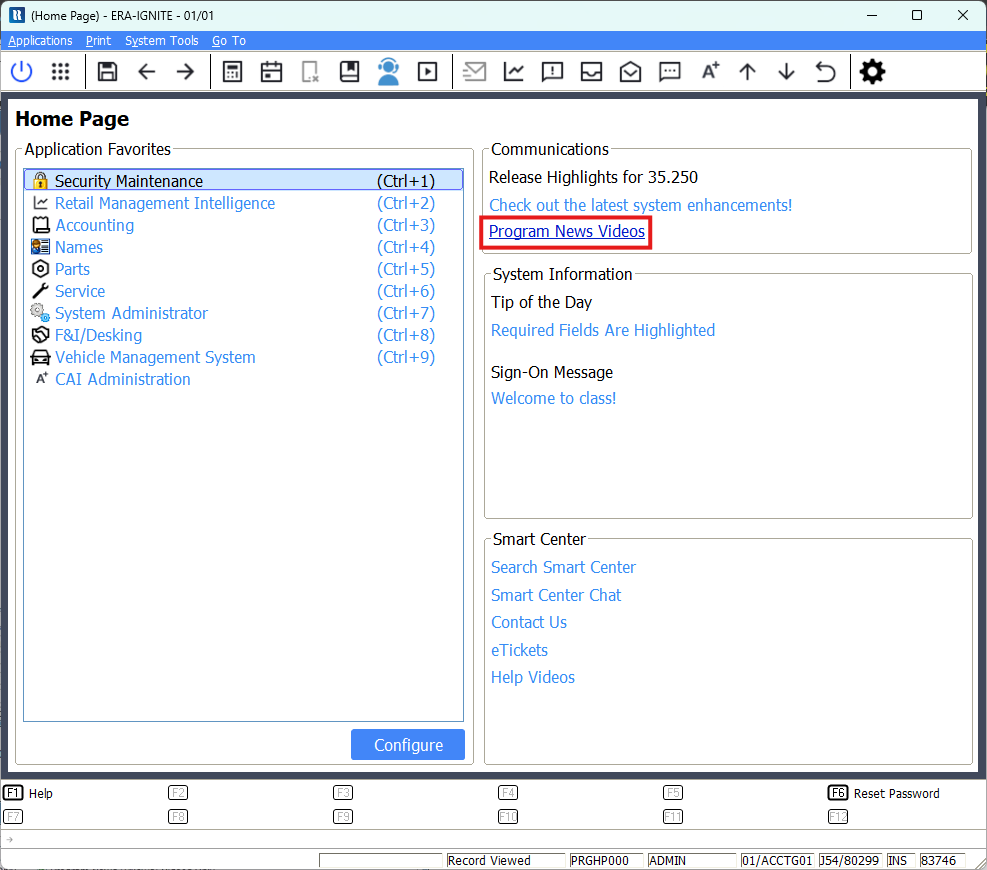
Program News videos are available for each new software release directly on the ERA-IGNITE Home Page or within the Help Videos tab of the ERA-IGNITE Smart Center.
To access Program News videos:
Select the “Program News Videos” link on the Home Page.
Double-click the Program News video you would like to view.
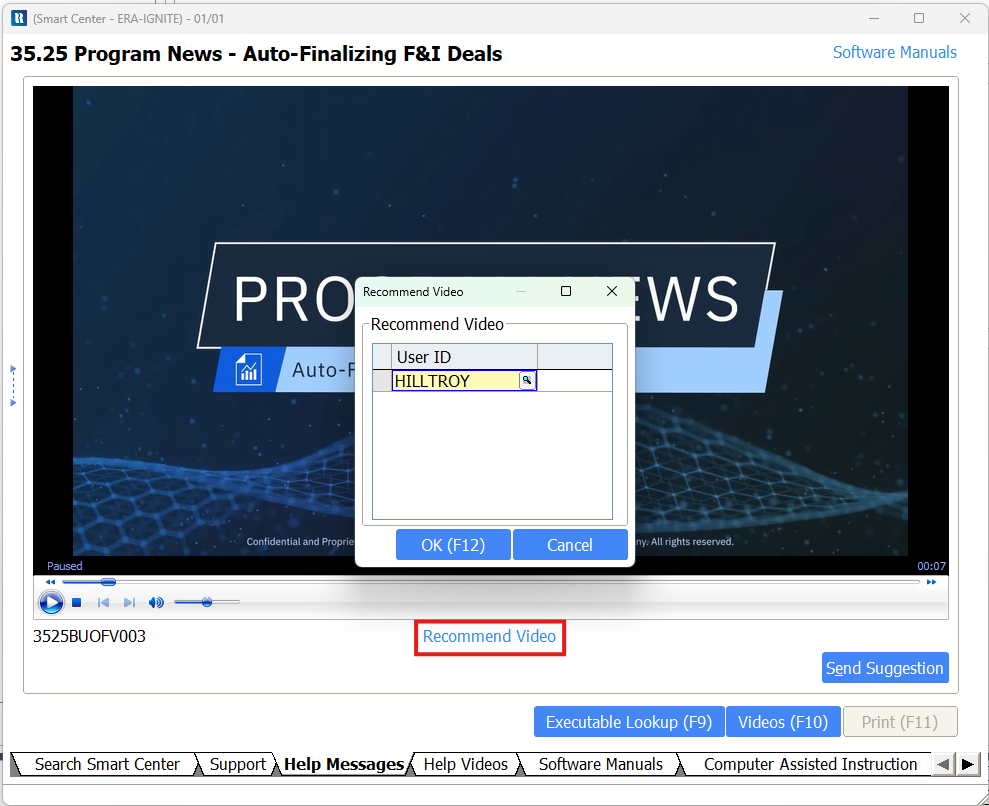
You can use the video playback options at the bottom of the screen to pause and resume playback as needed.
If you find a video particularly helpful, you can recommend it to another employee. Simply select the “Recommend Video” link and enter the employee’s User ID.
After entering the User ID, press the F12 key or select the OK (F12) button to send the recommendation. A ReyCom notification is sent to the employee with a link to the recommended video.
ERA-IGNITE is continually updated based on your feedback and suggestions to ensure the software meets your needs. Program News videos make learning about these new enhancements quick and easy when you only have a few minutes to spare during the day.