Modifying Name Files in ERA-IGNITE

Updating customer, vendor, or employee information? Use ERA-IGNITE’s Name application to quickly make and save changes to all personal data.
12/12/2025
Subscribe to Fuel
Get the inside scoop on industry trends as well as helpful system tips and educational articles.
Forms are not available without JavaScript enabled
Have you ever needed to update an employee’s emergency contact? Or change a customer’s email or phone number? Considering how dynamic personal information is, it’s important to have a central location that houses up-to-date data. That’s what ERA-IGNITE’s Name File records are for.
As a refresher, the Names (NAM) application stores information about vendors, customers, and employees. It allows you to organize both basic and specific information, as well as modify records as needed.
To modify a Name File record, follow these simple steps:
-
Open the Search Names screen. Go to Home Page → Applications → Names → File → Search Names.
-
On the Search Names screen, search for the record you wish to modify. You can search using a variety of criteria, such as first or last name, address, phone number, email, or name ID.
-
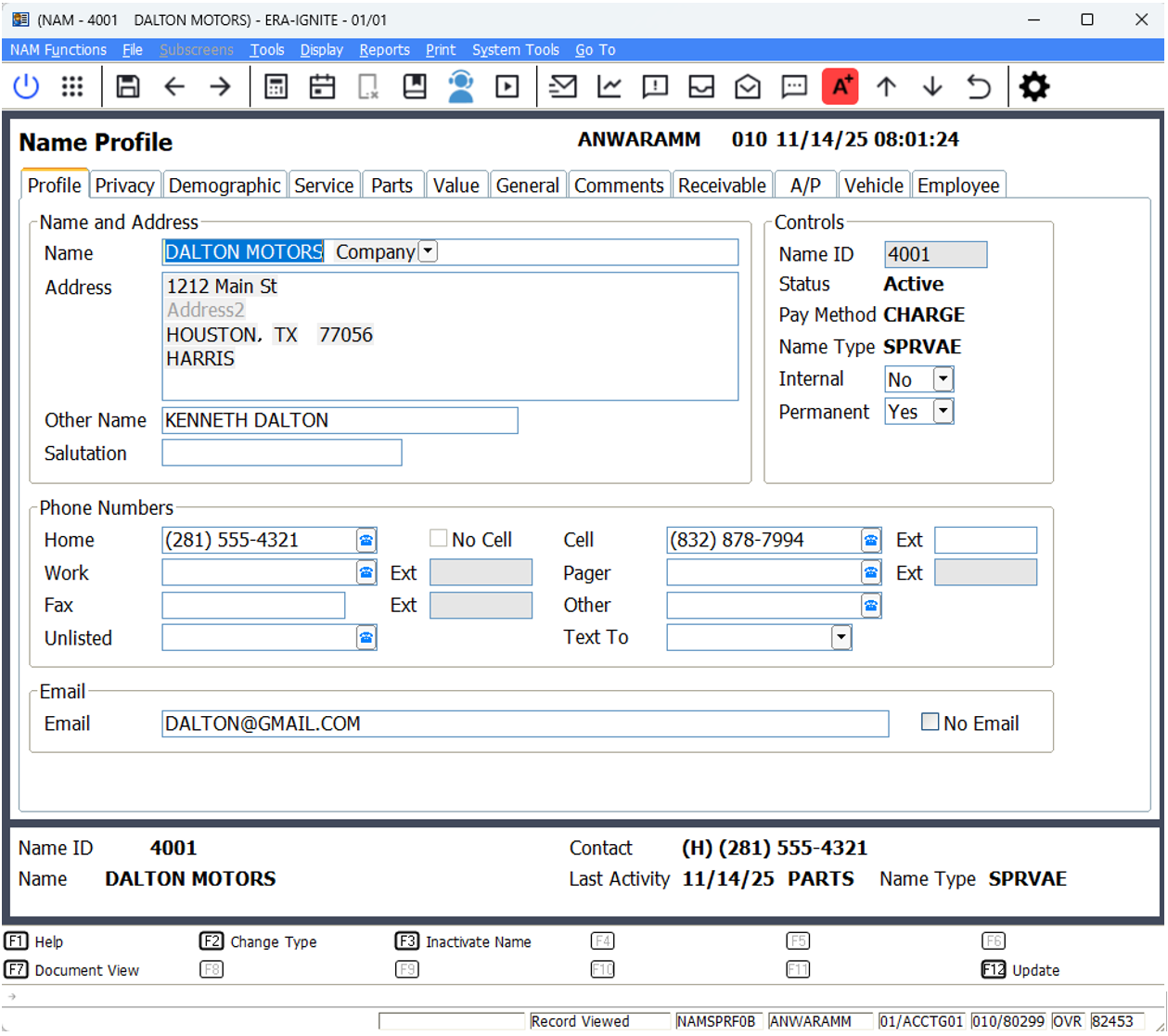
Select the record you want to modify. The Name Profile screen will display.
-
Select the tab containing the field you want to modify. Consider the type of record. Are you modifying a parts customer? A receivable customer? An employee? This may give you an idea of which tab to select.
-
Once you’ve found the field you want to update, select it and modify as needed.
-
After modifying the record, verify that everything is in order and then press F12 Update in the Options Bar.
If you want to learn more about the Names application, we delve into it in our
ACC1: Accounting Daily and Periodic Procedures ’Net Class. To view and sign up for any of our upcoming Reynolds Software Education courses, visit
reyrey.com/training.